
Slotty
Service Booking Plugin
For WordPress





Built In WordPress Themes Bundled
Spa/Salon Booking WordPress Theme
Hotel Booking WordPress Theme
Medical and Health Booking WordPress Theme
Yogar - Fitness and Yoga Studio WordPress Theme
Evenly - Conference & Event WordPress Theme
WhatsApp Notifications For Booking
The customer can receive instant WhatsApp notifications about the date and time of the appointment when they make an appointment from your WordPress website. This feature will be useful to make an impression on customers by raising the quality of service you provide.





Upload attachments to the booking form
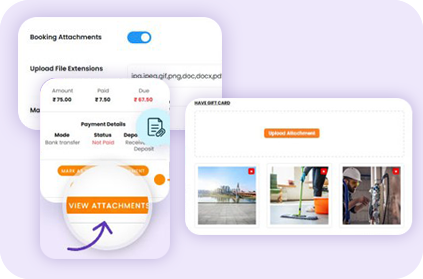
To give a good booking experience to your customers Slotty has option to enable to upload files directly through the online booking form. With this feature, customers can attach relevant files or documents related to their booking.
Once a file is uploaded, you can easily access and manage it in the booking details. This allows you to download and view the uploaded files as needed.
Staff Member & Customer Dashboard
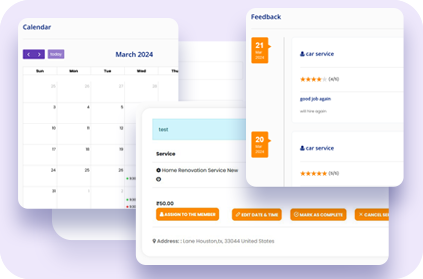
Slotty has a personalized staff member and customer dashboard. If your client wishes to manage their appointments, they can login with their credentials, which are automatically sent to them by Slotty as soon as they make a booking as a guest.
They can then edit the date & time of booking, plus they can change the status of the booking. Once the booking status is changed to Completed then they can also give rating to the staff member assigned to that booking.
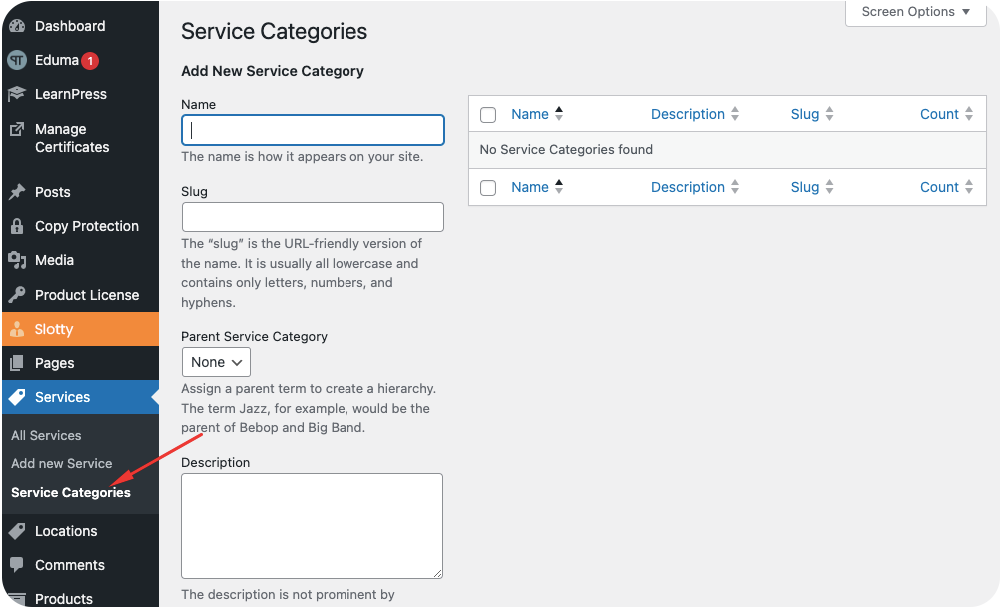
How To Add Service Category?
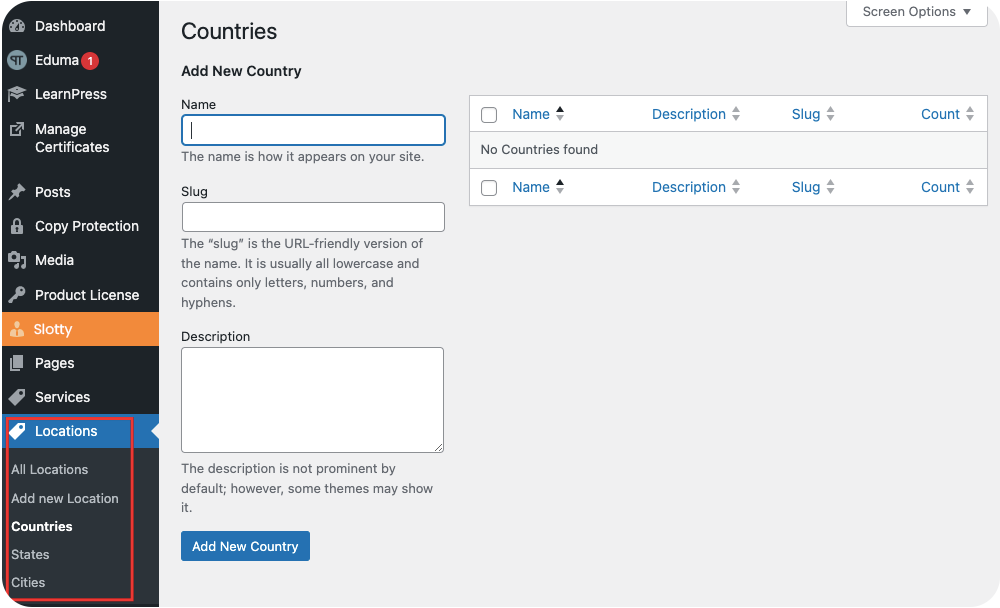
How To Add Country/State/City?
Customer Support
This Service Booking Plugin for WordPress is exceptional, largely due to its outstanding customer support. The team behind it is incredibly responsive and helpful, ensuring any questions or issues are swiftly addressed. Their dedication to customer satisfaction truly sets them apart. Combined with the plugin's robust features for seamless booking management, it's a winning combination for any service-based business. Highly recommended.

Code Quality
Thank you for the Great support . Its working fine now . Eventhough its not worked in the first time because of Elementor Or WP Bakery Page builder Plugins . All these fixed now . Expecting new features in the coming updates . Thanks.

Design Quality
Since adopting Slotty in March 2024, it's revolutionized how we handle service bookings on our WordPress site. Installation was a breeze, and its intuitive interface made setup straightforward, even for those less tech-savvy. Slotty shines with its feature-rich capabilities—customizable booking forms, smooth appointment management, and automated client notifications. What stands out is Slotty's reliability and the noticeable boost in our operational efficiency. The customer support team is commendable for their prompt and practical assistance, making the plugin's integration into our workflow smooth and beneficial. Given its impact on streamlining our services and enhancing customer satisfaction, Slotty offers incredible value. It's a tool and a pivotal part of our business's growth strategy. It is highly recommended for any WordPress site looking to elevate its booking system.

Code Quality
Here's another great plugin from Aone. I really enjoy working with you! My customers will love it. This plugin is ideal for appointment scheduling with team management and online payment. I love it. Thank you Aonetheme!
Code Quality
I bought the plugin two days ago and installed without any experience or need for technical support. Although of course it can be improved in many aspects, I now have an advanced booking system that meets all my needs.
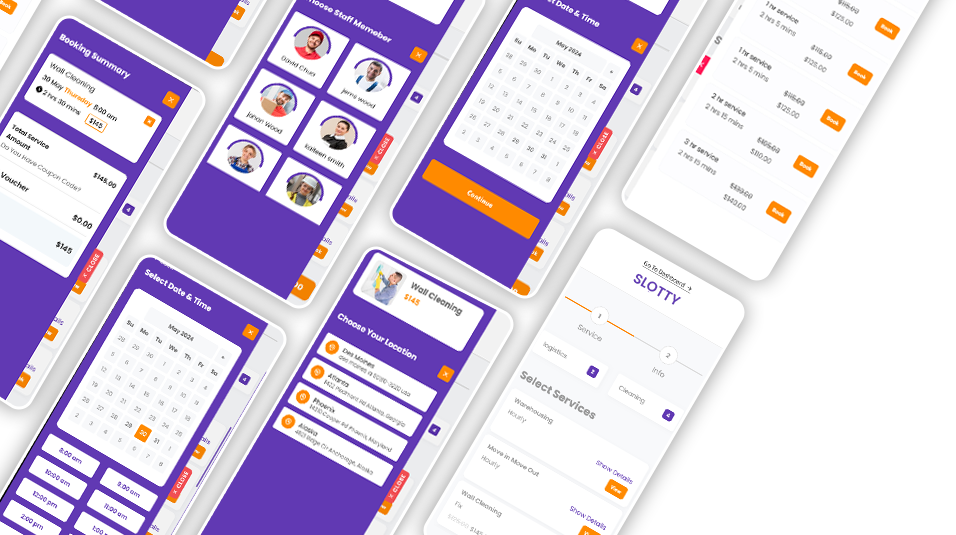
Responsive Design For Mobile And Tablet
Frequently Asked Questions
- Purchase the plugin here.
- Download and extract main plugin folder.zip archive.
- Inside that you will find Slotty.zip archive
- In WordPress admin panel Plugins, click Add New Upload Plugin, then choose the Slotty.zip from the archive you just downloaded.
- Activate the newly installed plugin in Plugins.
- As soon as the plugin is activated then you need to verify the purchase code and then you will see a new menu called Slotty in the dashboard.
- Woocommerce Payment Integration
- Beautiful user friendly and mobile friendly booking form
- Set availability of each service with time duration
- 3 types of services included Fixed Price, Hourly and Package
- Set unavailability by month, specific date and time slots
- Assign Staff Member To Locations
- Multiple days selection for service
- Assign Locations To Services
- Set Different Price For Service By Locations
- Weekly Schedule/Custom Schedule For A Day/Holidays For Staff Member
- Add extras to your services
- Recurring Appointments
- Coupon code, Taxes, Gift Cards
- Invoice, Staff and Locations
- Email Templates, Notification Templates, SMS Templates
- WhatsApp Notifications Using Twilio SMS API
- Zoom Meeting Integration
- Staff Member and Customer Dashboard
- Advance Google Calendar to sync bookings two ways
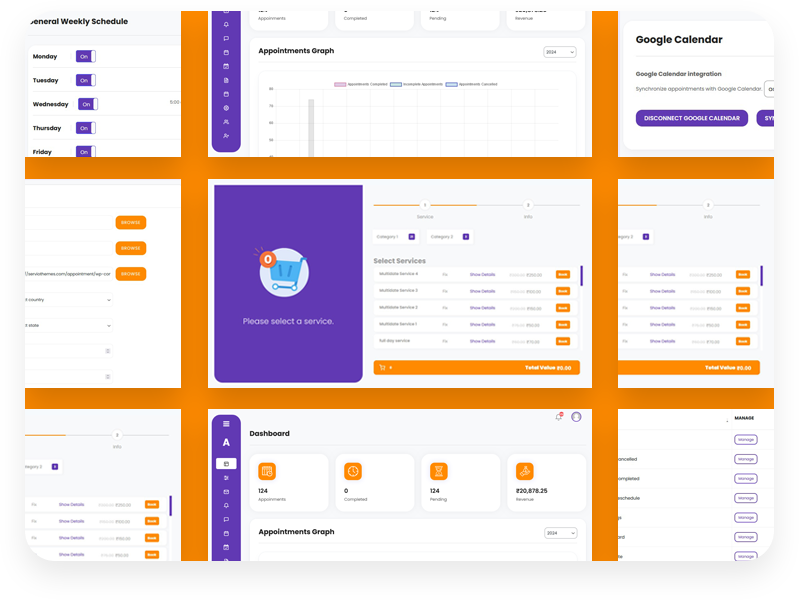
- Track your business performance with the built-in dashboard
- Optimize for mobile
Yes, you can place the Slotty booking form on any page within the website.
There is a shortcode to insert the booking form wherever you need it – on any page like landing page, service page, or contact pages, for example. Simply paste the shortcode [slotty-booking-form] into the content area of any page or post where you want the booking form to appear.
Recommendation: It is recommended to place booking form on an individual page to get better output to avoid any conflict.
Once the Slotty plugin is activated then following required pages will be created with their respective shortcodes automatically.
- Appointment Form: [Slotty-booking-form]
- Invoice Payment: [Slotty-invoice-pay]
- Thank You: [Slotty-thank-you]
- Login: [Slotty-login]
- Staff Dashboard: [Slotty-staff-dashboard]
- Customer Dashboard: [Slotty-customer-dashboard]
Making Slotty up and running involves several key steps. Here’s a simplified guide to help you set it up.
- Setup General Settings
- Add Service Categories
- Add Countries/States/Cities
- Setup Locations
- Add Staff Members
- Setup Availability
- Add Services
- Setup Payment Option
Making Slotty up and running involves several key steps. Here’s a simplified guide to help you set it up.
- Setup General Settings
- Add Service Categories
- Add Countries/States/Cities
- Setup Locations
- Add Staff Members
- Setup Availability
- Add Services
- Setup Payment Option
Once you're satisfied that everything is set up as desired, your Slotty booking system is ready to go live for your customers to start booking appointments.
With Slotty, you can effortlessly integrate with WooCommerce for seamless payment processing. With WooCommerce support, you can add any payment method that suits your business requirements, providing flexibility and convenience to your customers.
Yes, Slotty supports deposit payment, you can accept a fixed or percentage of the booking amount to accept as deposit during booking and for the rest of the payment admin can generate a link for payment and send to the customer via email. So customers can open the payment link and make the payment.
There are two options given in the booking settings:
- Offline Payment
- Online Pyament
So in order to remove payment step you can enable Offline Payment option.
In the general settings option to change the color theme of the booking form is given, so you can set the color theme of your choice.
Yes, on our customers demand our team has added the option to choose multiple days for a service during booking.
This feature gives customers the ability to book multiple days for a service. There are two types of days selection available:
- Date Range
- Separate Multiple Dates
There are two more options given:
- Full Day
- Day with time slot
Admin has the option to enable or disable ‘Multiple Days’ option for any service.
Slotty has several types of notifications available:
- Email Notifications
- Text SMS Notifications
- Whatsapp Notifications
- Alert Notification in the user's dashboard on top of bell icon
Slotty is available at the best reasonable price of $24 only.
While others offer these features as costly add-ons, Slotty provides all these powerful options bundled together for a single, affordable price of just $24.